

Published May 7, 2026
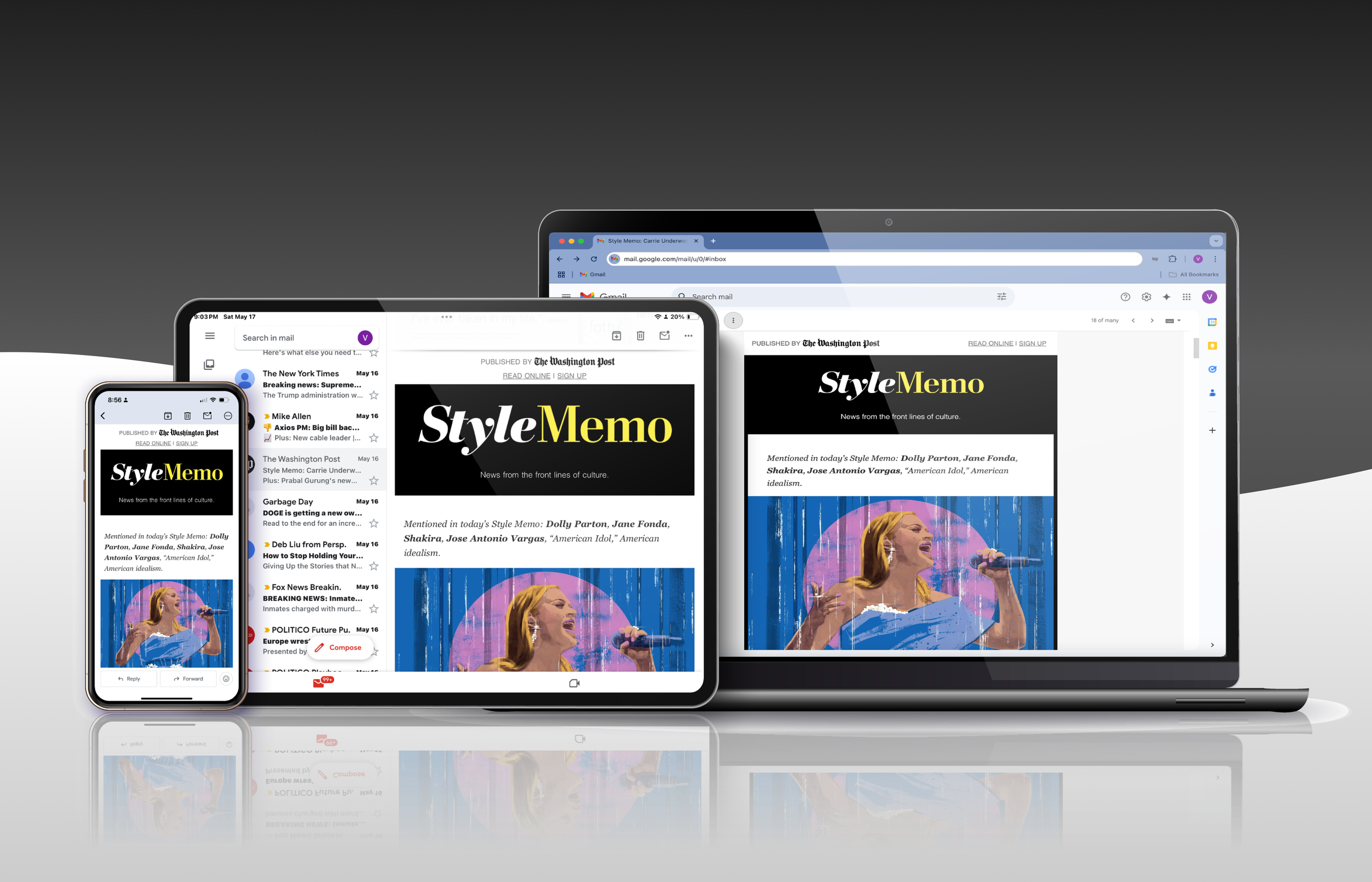
During my time at The Washington Post, my skills as a product designer have mainly been utilized for what the industry may classify as less conventional “products.” I spent the first two-and-a-half years with Principal Product Designer Stephen Mefford, spearheading the redesign of our editorial newsletter while navigating email platform limitations around code and accessibility. This is when I started sprouting a few more gray hairs than I’d like to admit, but in 2024, the editorial newsletters role was dissolved, and I moved to the design systems team (WPDS).
My time on WPDS felt like a bootcamp with revolving doors, where design and engineering partners were coming and going (many against their will), and day-to-day priorities bounced from component and token design work to documentation writing. Sometime in my first year on the team, I learned that our app was never shifted over to our design system and instead was using a mixture of native components and some of our tokens. We did have a limited app library that was derivative of WPDS, but more often than not, developers needed to adapt code for iOS and Android platforms manually. While this working process doesn’t sit well with my obsessive need for cohesion, there is one silver lining: experimentation.
Toward the last couple of months of 2025, WPDS design work had halted due to engineering resources being pulled earlier in the year, and I found myself with the time and space to work on featured work. The project I worked on was initially just an app feature update; however, it eventually expanded into a reimagined personalization hub and touched app onboarding flows (owned by monetization). As this project remains incomplete (due to the massive 2026 layoffs), and I don’t quite have everything for a full case study, I will classify this as a design experiment in my portfolio.
Experiment Overview:
⟡ Refined notification setting options to reduce cognitive load
⟡ New UX patterns for managing interests with options for AI-driven personalization
⟡ Expanded personalization hub to include notification and interest management.
Refined notification setting options
Since our design system team didn’t include a product manager, I found it refreshing to be kicking off an app feature update with Senior Product Manager, Maxi de Rito. Major issues with our app included a noisy and bloated push notification system and user confusion around interest options and management. My task was to reimagine how both could work together seamlessly and more intuitively.
Discovery
Before designing, I wanted a thorough understanding of what the current notification and interest management experiences were like and how they were accessed within our app. Through a mapping exercise, I discovered some gaps (or opportunities): push notification engagement could be expanded for different business goals (acquisition, activiation, retention, win-back), as well as for range of content outside of news reporting (i.e. games and puzzles, comment engagement, gen-AI daily digests).
Mapping exercise showing push notification engagement opportunities: 1) Green boxes show branches extending to different business goals, 2) Blue ovals show user type, 3) Gray boxes include examples of push notifications relating to that branch and user type.
Mapping exercise showing push notification content opportunities: 1) Orange boxes show branches extending to different content types, 2) Blue ovals show user types, 3) Gray boxes include examples of push notifications relating to that branch and user type.
After the mapping exercises, I took a screen inventory of instances on our app where users could access push notifications. I noted that users could not access the push notification management page from neither the content feed nor the interests hub. During my competitor analysis, I discovered that this page was nested deeper into the settings page (3 taps and a scroll from the main content feed page) than other news and social media apps (averaging at around 2 taps total).
Screen inventory showing where users can access or update the push notification management page. There is currently no access from the content feed and interest pages.
An audit of The Washington Post app’s push notification and interest management screens on both iOS and Android devices. Notable: Users have to tap 3 times and scroll to access and update push notification settings.
An example of a competitor analysis to understand how users are accessing and updating push notifications. Notable: Media competitors average about 2 total clicks to access push notifications.
The Process: Part II
Building a modular design system for the new template.
I went through several design iterations to create a template system that would work well for both our users and email platforms. Using wireframes, I showed how different content pieces could fit together like building blocks while keeping everything looking consistent. To make sure emails would display properly across different email apps, I included detailed technical guidelines for the development team.
This wireframe diagram illustrates the modular components of the newsletter template system, showing detailed breakdowns of different content areas including header elements, article layouts, and call-to-action modules. The wireframes demonstrate the systematic approach to creating a flexible, reusable template structure that can accommodate various content types while maintaining consistent design patterns.
I created a set of modular components for the newsletter template including headers, article previews, bylines, and promotional sections. To make sure these worked for all our different newsletters, each component could adapt its style while staying consistent with our design system.
We put these components in layout, testing them with everything from breaking news alerts to long form features. This helped us confirm they could handle any content type while maintaining The Post's signature look and feel.
The left panel displays a list of module explorations where I tested the modular wireframe with real newsletter content.
The Process: Part III
Testing and refining the user experience.
To validate our design decisions, we ran two major types of testing to make sure everything worked as intended:
Email platform testing: We used Litmus to check how our newsletters looked across different email services, paying special attention to making sure they were readable in dark mode and accessible to everyone
Reader feedback: We worked with 12 subscribers to understand what content organization worked best for them, particularly in our "For You" newsletter. We tested different ways of showing articles - both by time and by topic - to see what readers preferred
Cross-platform email testing
We used Litmus and Figma to test how our design system colors would appear in dark mode across email clients before development. Each email platform handles dark mode in its own way, so we had to extensively test to ensure our brand colors displayed correctly. When certain brand colors weren't rendering well in dark mode, we made practical adjustments - adding outlined icons and white backgrounds to maintain readability.
The testing showed us just how differently each email client interpreted dark mode. While we managed to achieve consistent rendering on major platforms through specific design choices, we had to be pragmatic and make some design compromises due to email platform limitations. These tradeoffs helped us balance our design vision with technical reality.
Side-by-side comparison showing how The Washington Post's design system color tokens translate between light and dark modes across email clients. The analysis demonstrates various color mapping scenarios from Litmus into Figma, highlighting instances where design adjustments like outlined icons and white backgrounds may need to be accounted for to maintain visibility and brand consistency.
Content organization testing
Our user testing with 12 subscribers gave us clear insights into how readers interact with personalized content. The feedback was encouraging - users rated both the "Popular with similar readers" and "Based on your interests" sections highly (4-5 out of 5). However, we noticed some confusion around how these two recommendation types differed from each other.
The testing highlighted some practical challenges we needed to address. The "Manage your interests" button wasn't prominent enough, and having opinion pieces in subject lines didn't resonate well with readers. When it came to giving feedback, users strongly preferred quick, simple interactions (like clicking an icon) over filling out detailed surveys. One key insight was that readers were most motivated to provide feedback when they had a negative experience - this helped us rethink our feedback collection approach.
Side-by-side comparison of The Washington Post's newsletter testing prompts for the legacy and updated templates, showing objectives and feedback questions to understand readers’ preferences on personalized content delivery.
Based on our testing findings, we enhanced the template with improved engagement features. We added strategic call-to-action modules including subscriber-exclusive promotions, a simplified feedback system, and clearer content recommendations. Through continuous monitoring of user interactions, we optimized component placement and presentation to boost engagement while ensuring consistent display across email clients. After thorough refinement and documentation, the template system was ready for handoff to our development team.
The Post Most, a favorite among The Washington Post newsletter readers, has been using the new standard editorial template since 2023.
The Result
Migrating over a hundred newsletters to this new modular template system, newsletter editors were able to streamline workflows and users had an improved reading newsletter experience.
We launched the new template with a small set of newsletters first, rather than rolling out to all 100+ newsletters at once. This allowed us to:
⟡ Test edge cases in a controlled setting
⟡ Verify visual quality across email clients
⟡ Measure CTA performance
⟡ Collect feedback for improvements
⟡ Create new newsletters like Game Break and Climate Change, demonstrating the template's versatility for different content types
The redesign also delivered significant improvements in both user experience and business metrics. We saw a consistent decrease in unsubscribes, while maintaining strong open rates and click-through engagement—achievements we attributed to cleaner layouts and more scannable content hierarchies.
What I Learned
Modular solutions can be versatile ones.
The project revealed several key insights that will shape our future newsletter designs and development processes:
⟡ Modular Design Success: Making one flexible template system instead of six separate ones worked really well. Each newsletter kept its unique style while following the same basic structure.
⟡ Working with Email Platforms: We had to carefully balance our design goals with what email clients could handle. For example, we added outlined icons to make sure everything was readable in dark mode.
⟡ Learning from Users: Testing with 12 subscribers helped us understand how to organize content better. Starting with a small group of newsletters let us test everything thoroughly before rolling it out to everyone.
By creating detailed documentation and doing thorough testing, we built a system that keeps The Post's design standards while making it easier for newsletter teams to do their work.